Articles in category: “How To”
Connect Covve Scan via Zapier, and get your scanned cards directly into any software.
Create automatic workflows from Covve Scan to third-party systems, and improve data entry efficiency. When you scan a business card in Covve Scan, the card details can appear in the connected software, without you having to type a single character!
Continue reading…
Connect Covve Scan via Zapier, and get your scanned cards directly into any software.
Create automatic workflows from Covve Scan to third-party systems, and improve data entry efficiency. When you scan a business card in Covve Scan, the card details can appear in the connected software, without you having to type a single character!
Continue reading…
Do you have duplicate contacts on your iPhone and wonder how it happened? While this problem can get your nerves frozen, it is worth knowing that this is a common issue amongst myriads of iPhone users. Duplicate contacts take up a significant amount of space and make it tiresome to scroll through such a large list. Your first line of defense could be to delete them one by one. However, this is tiresome and time-consuming. Fortunately, this article expounds on how you can fix duplicate contacts on your iPhone with ease and speed.
In the meantime, don’t forget that using a personal CRM is the best way to manage your contacts and build your professional network effectively. You can read more about the benefits a pCRM can offer to every professional, here.
Continue reading…

It is no secret that COVID-19 has disrupted the norm and forced us to rethink our business networking approach. With the rampage showing signs of subsiding, businesses are pulling strings to find effective ways on how to create and expand their network after COVID. If you own a business or at the helm of decision-making, this article gives you the best guide on how to nail networking post-COVID.
Continue reading…

Thinking about switching devices or are you simply worried about losing contacts and need an offline backup just to be safe? Whatever your reasons for wanting to know how to export contacts from an iPhone 12, we’re here to help!
Continue reading…

Across the globe, people share names. You may have “John”, who is your plumber, and another “John,” who could be your prospect. If you don’t save these two people correctly on your phone, you will call John, your prospect, to fix your sink, which is embarrassing. This is why you need a personal CRM app. With a CRM app like Covve on your Android or iOS phone, you will organize your contacts well.
Continue reading…

Working remotely sounds like all fun and games. There is that freedom of working without a boss checking on you, no commuting, and wearing what you want. People tend to be more productive than working in an office. According to studies, 75% of people are as productive or even more, during COVID-19 while working from home.
Continue reading…
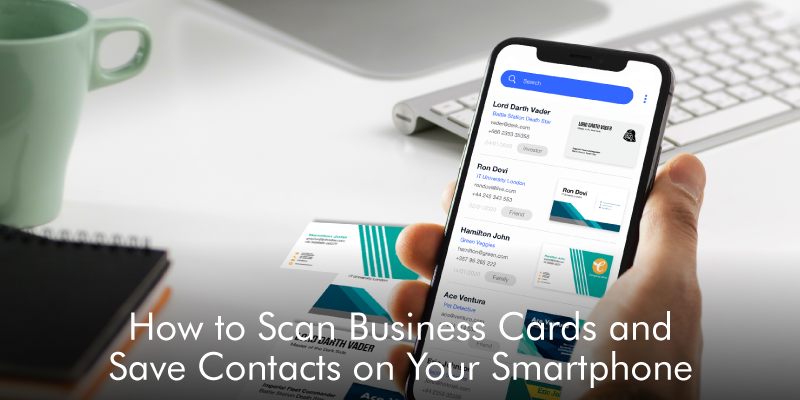
You are decluttering your office. You find several business cards of your prospects that you would wish to save on your phone. If it is one or two business cards, you can enter them manually on the phone. But what if there are many? You will need a better solution that saves time. This is where the business card scanner apps come in.
Continue reading…
Some calls are bothersome and at times you are obliged to block these contacts on your iPhone. You may block them because you don’t want to talk to them at the moment or your relationship with them has reached a breaking point. Whichever the trigger, people choose to block disturbing contacts. However, the situation may change and you end up needing the very contact you blocked.
Continue reading…
With Android phones, you can automatically backup and restore them in Gmail contacts. When you purchase a phone or do a factory reset, you have to sign in using an email address. The email address that you sign up with is what Google will use to save your contacts. With Google contacts, the backups are updated automatically, and you can always restore them. However, you can still set manually, how you want to back up your contacts. In this article, we show you how to backup and restore Gmail contacts.
Continue reading…