

Facebook has gone from being just another social network to an essential contact tool for both work and pleasure.
Thankfully it’s very easy to sync your Facebook contacts with any Android device.
UPDATE – since a recent app version update, Facebook removed the contacts sync options from Android. To add pictures to your contacts you can use an app like Covve. Covve scans over 100 sources for publicly available info such as pictures, company, job and social profiles. As long as your contacts have an email and there’s publicly available info for them, Covve will fetch it for you – find out more here.
1. On your phone go to your SETTINGS menu.
2. There will be an ‘add account’ or ‘cloud and accounts’ option.
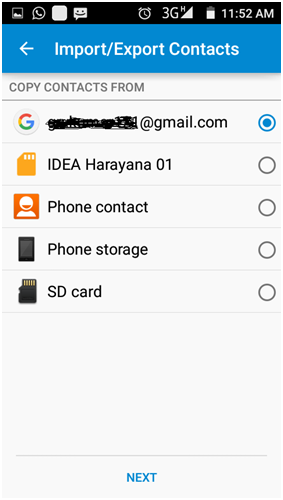
3. You should see Facebook on the list of accounts. Either check the box or tap ‘sync’ and your Facebook contacts should then show up in your phone contact list.
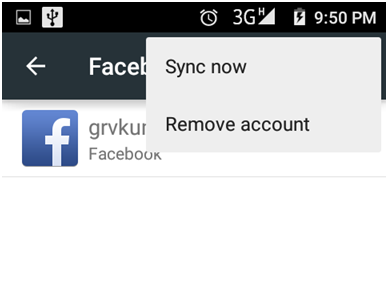 There should also be options to sync calendar, schedule and Facebook feed for maximum integration.
If you don’t see Facebook in the list of accounts you will need to install the app from play store and then follow the steps above.
If you find that there are duplicates of certain contacts, you can use Covve’s de-duplication option to tidy up your contact list.



5 Comments
Tatiana P Gonzalez 8 years ago
No that doesn’t work.The Facebook will not sync anymore, why?
Paula Kolaczek 8 years ago
Hi Tatiana, hope you’re well – this is Paula from Covve.
Seems like Facebook has done some changes regarding syncing with Android. We will review and update the article.
Many thanks for pointing this out!
Best regards!
Vilosa Woodfin 8 years ago
Facebook want sync
Paula Kolaczek 8 years ago
Hi Vilosa, hope you’re well – this is Paula from Covve.
Seems like Facebook has done some changes regarding syncing with Android. We will review and update the article.
Many thanks for pointing this out!
Best regards!
Valerie CM 8 years ago
It’s more fun playing online games when you can connect to Facebook and challenge friends. When an attempt is made to sync Facebook to my Android tablet from Settings, the “Sync Now” option is greyed out. Is there a fix for this or a walkaround to bypass it?
Thank you, your comment successfully submitted
your comment has been submited, it might take a while to be moderated.